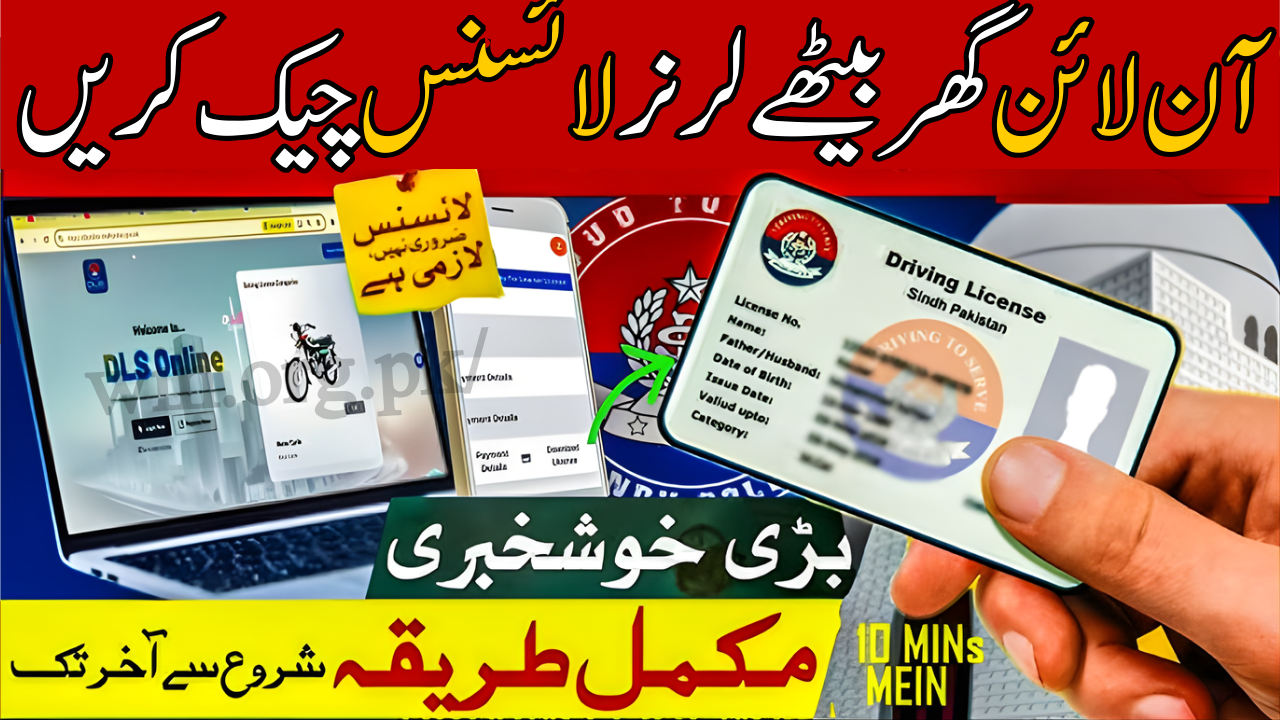
Check Online Learner License
Getting a learner license in Punjab is now fully online, and checking your learner license status has become simple through the official DLIMS system. The new digital system helps you verify, track, and download your learner license without visiting any office. This guide explains how to check your learner license online in 2025 with updated steps and official links.
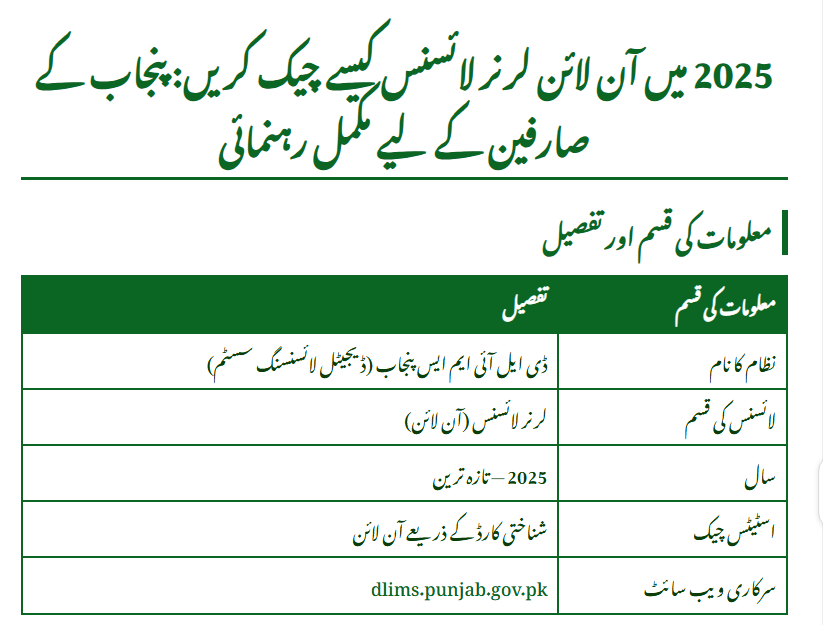
| Information Type | Details |
|---|---|
| System Name | DLIMS Punjab (Digital Licensing System) |
| License Type | Learner License (Online) |
| Year | 2025 Updated |
| Status Check | Check Online Learner License through CNIC |
| Official Website | https://dlims.punjab.gov.pk |
| Required Document | CNIC |
| Processing Time | Instant |
| Verification Method | CNIC + Captcha |

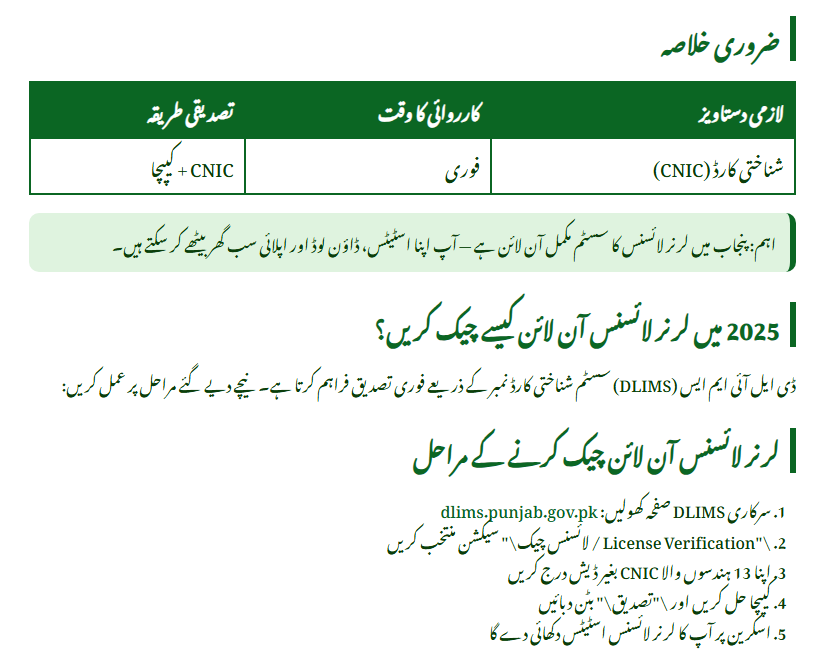
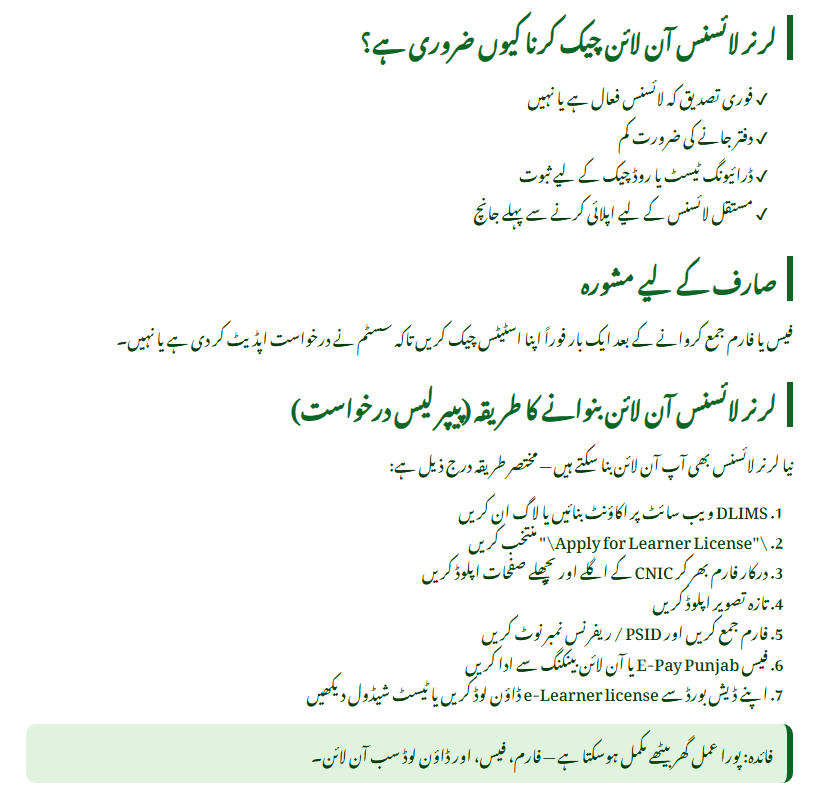
How Can You Check Your Learner License Online in 2025?
Users often search for the easiest way to verify their learner license. The process is simple because the DLIMS system gives instant verification using your CNIC. You only need your ID number, and the system will show your learner license details.
Steps to Check Online Learner License
(Official instructions taken from DLIMS Punjab and top online sources.)
- Go to the official DLIMS License Verification page.
- Enter your CNIC number without dashes.
- Solve the small verification captcha.
- Click “Verify License” to see your status instantly.
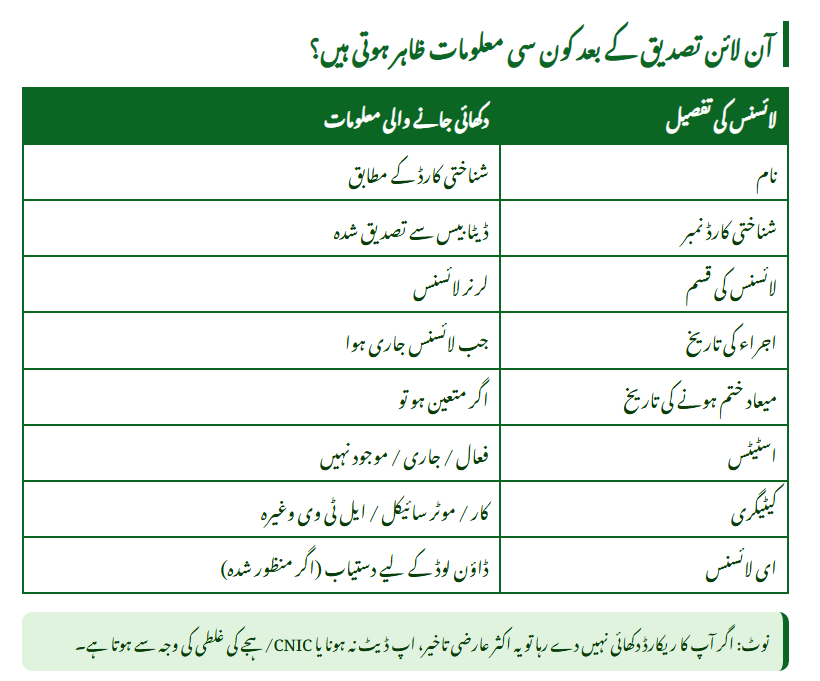
What Information Shows After Online Verification?
When you check your learner license online, the system displays your personal and license details. This helps users confirm that their learner license is active and legally valid.
| License Detail | Information Shown |
|---|---|
| Name | As per CNIC |
| CNIC Number | Verified from database |
| License Type | Learner License |
| Issue Date | When license was issued |
| Expiry Date | Validity period |
| Status | Active / In Process / Not Found |
| License Category | Car, Bike, LTV, etc. |
| e-License Option | Available for download |

Why Is Online Learner License Checking Important?
Many users face issues where their license is not updated or not showing in the system. Checking online helps them confirm that all details are correct. Below are the common reasons users prefer online verification:
- Instant confirmation of learner license status
- No need to visit a traffic office
- Easy to verify whether your license is active
- Helpful during roadside checks
- Required before applying for permanent license
User Tip
You should check your learner license online at least once after payment to ensure the system has updated your application.
Which Documents Are Needed to Check Online Learner License?
Checking the learner license online requires only one document. The entire process is designed to be easy for everyone.
Documents Required
- CNIC number: This is the only mandatory requirement.
- Internet connection: Needed to access DLIMS website.
- Mobile or computer: Any device can be used.
- Correct spelling of your name: To avoid status mismatches.
These documents are enough to verify your learner license instantly.

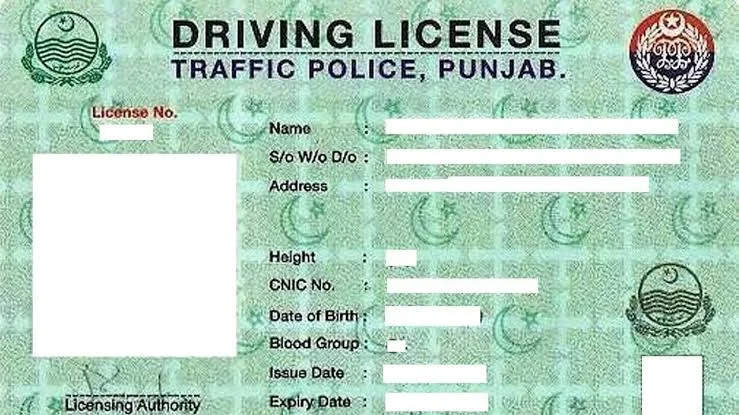
How to Apply Online for Learner License (2025 Guide)
Many people checking their learner license online want to apply as well. The online application is also very simple. It takes only a few minutes through the DLIMS portal.
Step-by-Step Application Process
- Go to DLIMS website.
- Create your online account.
- Log in and select “Learner License.”
- Upload your CNIC front and back.
- Upload your recent passport-size photo.
- Submit the form and generate your PSID.
- Pay the learner license fee through ePay Punjab or online banking.
- Download your learner license from your DLIMS dashboard.
This process is based on the official website instructions.
What Are the Benefits of the Digital Learner License System?
This new system has made the process very easy for citizens. Below are the key benefits:
- You can apply from home
- No long queues
- Fair and transparent system
- Instant status checking
- Easy download option
- Available from anywhere in Punjab
- Safe digital record
Summary Box
The digital system helps you apply, check, and verify your learner license with only your CNIC, making the entire process user-friendly.

Frequently Asked Questions
What should I do if my learner license is not showing in the system?
Sometimes the database takes a few hours to update. Check again after 24 hours.
Can I download my learner license online?
Yes, once the fee is verified, the learner license is available in your DLIMS account.
Can I use the online learner license for driving?
Yes, the digital learner license is fully valid.
What if the system shows “Not Found”?
Check your CNIC accuracy. If the issue continues, contact DLIMS helpline.
DLIMS Punjab Helpline & Contact
If your learner license is not updating or you face technical issues, you can contact the DLIMS support team.
- Phone: 042-99202892
- Email: info@dlims.punjab.gov.pk
- Website: https://dlims.punjab.gov.pk
- Emergency Contact: 15
This information is collected from official DLIMS sources and top verified online platforms.
Conclusion
Check Online Learner License in 2025 has become extremely easy through DLIMS Punjab. With only your CNIC, you can verify your license status, download your license, and confirm all your details instantly. The digital system is fast, accurate, and helpful for all new drivers. Visit the official DLIMS portal today to check your learner license online.
Official Website: https://dlims.punjab.gov.pk
Related Posts