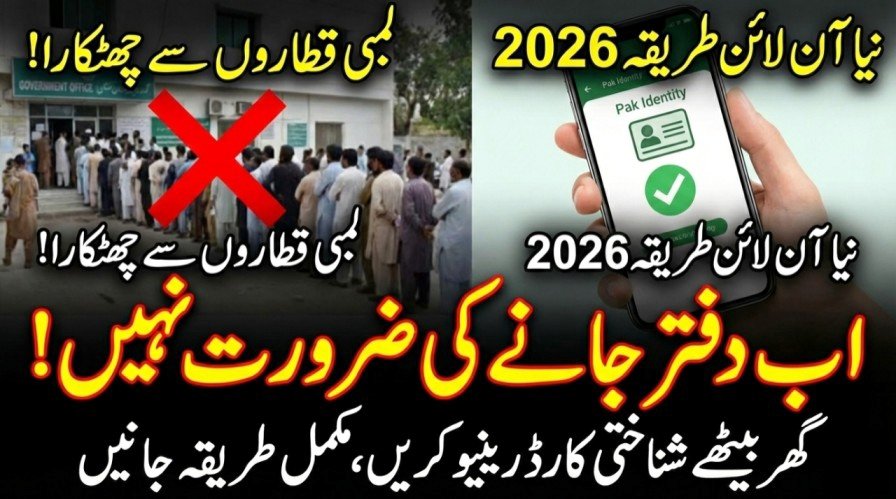
Standing in long queues at NADRA offices is no longer necessary. In 2026, you can renew your CNIC online from home using your mobile phone through NADRA’s official Pak Identity system. This updated guide explains the latest fee structure, online application process, biometric verification, and home delivery timeline for Smart CNICs.
| Feature | Details |
|---|---|
| Service Name | Online CNIC Renewal |
| Official App | Pak Identity |
| Official Website | id.nadra.gov.pk |
| Normal Fee | Around Rs. 750 (Courier charges extra) |
| Urgent Fee | Around Rs. 1,500 (Courier charges extra) |
| Executive Fee | Around Rs. 2,500 (Courier charges extra) |
| Biometric Method | Mobile Camera or Fingerprint Form |
| Delivery Time | 7 to 15 Working Days |
Why Use NADRA Pak Identity Online System
NADRA has upgraded its digital infrastructure in 2026 to make CNIC services faster and more user-friendly. The online system allows citizens to renew their CNIC without visiting any registration center. The entire process, including data verification, biometric submission, and payment, is completed online. This service is available for applicants inside Pakistan and overseas Pakistanis.


Requirements for Online CNIC Renewal
Before starting your application, make sure the following items are ready to avoid delays or session errors.
- Passport-size photograph with white background in soft copy format
- Fingerprints scanned via mobile app or printed fingerprint form
- Valid Debit or Credit Card, or JazzCash/EasyPaisa via e-Sahulat
- Existing CNIC number for login and verification
Step-by-Step CNIC Renewal Process
Follow these steps carefully to renew your CNIC online without rejection. The process is based on official NADRA guidelines.
- Create an account on the Pak Identity website or mobile app and verify your email and mobile number
- Log in and select New Application, then choose Issuance of Identity Document, CNIC, and Renewal
- Review your personal details and update only if changes are required
- Upload a clear, professional photograph with no shadows or filters
- Complete biometric verification using mobile scanning or upload the fingerprint form
- Pay the applicable fee through the secure payment gateway
- Submit the application and save your Tracking ID to monitor progress

NADRA CNIC Fee Structure 2025
The fee depends on the urgency level selected during application. Courier charges are added separately.
- Normal Category: Around Rs. 750 with processing time up to 30 days
- Urgent Category: Around Rs. 1,500 with processing time around 20 days
- Executive Category: Around Rs. 2,500 with processing time around 10 days
- Modification Charges: Additional fees apply if personal data changes are requested
Biometric Verification Using Mobile App
Fingerprint rejection is a common issue, but it can be avoided by following these tips.
- Ensure proper lighting while scanning fingerprints
- Use a plain background when placing your hand
- Maintain a distance of 5 to 6 inches between camera and fingers
- Clean your phone camera lens before scanning

Common Mistakes That Cause Rejection
Many online CNIC applications fail due to avoidable errors.
- Uploading unclear or blurred documents
- Selecting New CNIC instead of Renewal
- Uploading casual selfies instead of proper photographs
- Attempting address changes without valid supporting documents
NADRA Helpline and Support Details
If your application is delayed or payment fails, contact NADRA through official channels.
- Mobile Helpline: 1777
- Landline or Overseas: +92 51 111 786 100
- Complaint Portal: complaints.nadra.gov.pk

Conclusion
Renewing your CNIC online in 2025 is simple if you follow the correct steps. The Pak Identity system saves time, reduces hassle, and ensures secure processing. Make sure your documents are clear, biometric data is accurate, and fees are paid correctly to receive your Smart CNIC without delays.
FAQs
Can I change my name during online CNIC renewal
Yes, name changes are allowed, but you must upload valid proof such as a court order, educational certificate, or affidavit depending on the request.
How long does CNIC delivery take
Executive applications are delivered within about 10 working days, urgent applications take around 20 days, and normal applications may take up to 30 days.
Is Pak Identity safe for online payments
Yes, the platform uses a secure payment gateway. Never share your OTP or card details with anyone.
Related Posts